
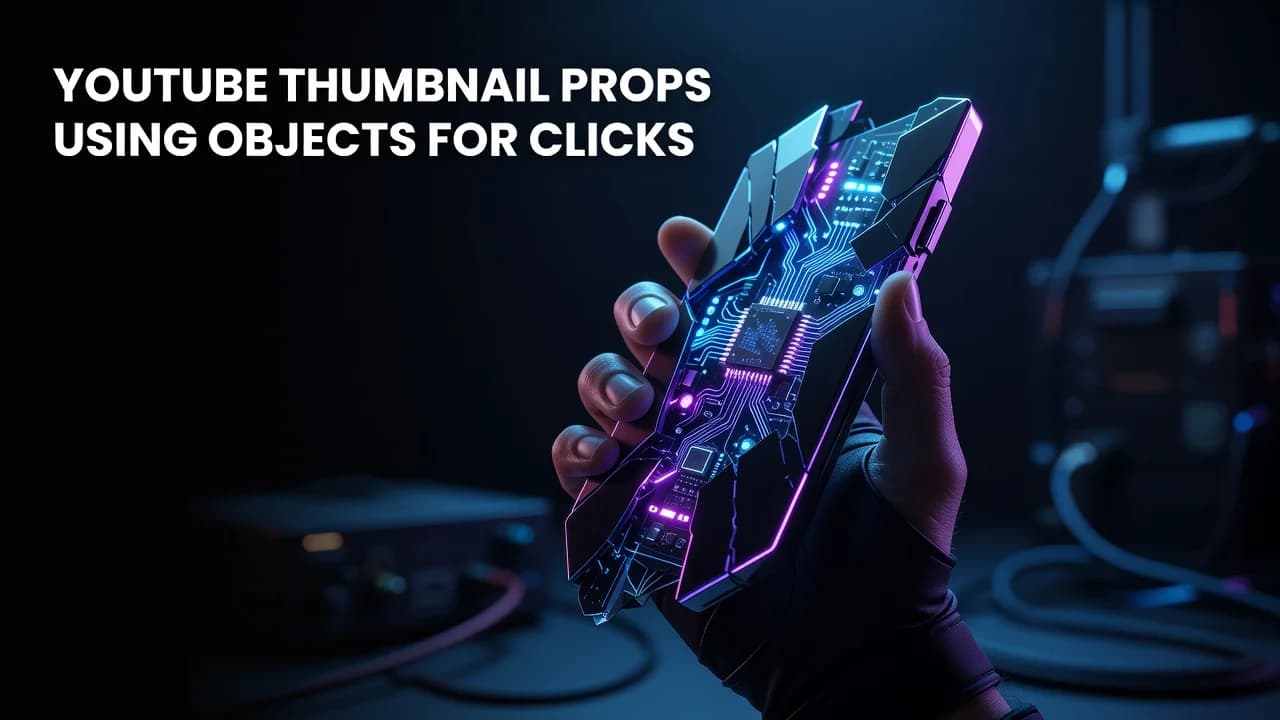
YouTube Thumbnail Props: Using Objects to Drive More Clicks
Key Takeaways
- A prop works in a thumbnail when it instantly communicates the video's subject without requiring text to explain it.
- Make your hero object occupy roughly 30-50% of the frame so it stays legible at the 168x94 pixel size mobile feeds often render.
- Thumbnails compete at postage-stamp scale — a single recognizable object usually reads faster than three competing ones.
- Props give faceless and product-driven channels a repeatable visual system that faces alone cannot provide.
- Testing props against expression-led designs on the same video is the only way to learn which your specific audience responds to.
Why the right hero object often beats a face at winning clicks in crowded feeds
The Object in Your Hand Is Doing More Work Than Your Face
A thumbnail prop is any physical or graphic object placed in the frame — a product, a tool, a stack of cash, a broken component, a printed chart — that communicates the video's subject at a glance. Props increase click-through rate when they are instantly recognizable, scaled large enough to read on a phone, and paired with a title that adds information rather than repeating what the object already shows. Most thumbnail advice fixates on faces and expressions. That advice isn't wrong, but it's incomplete, and it leaves a huge amount of packaging leverage on the table. Notably, plenty of the highest-performing videos in tech, finance, DIY, cooking, automotive, and product-review niches lead with an object, not a person. The face might be present, but it's the supporting actor. There's a structural reason for this. A face communicates emotion — surprise, worry, delight. An object communicates subject — what the video is actually about. When a viewer scrolls a home feed, they're triaging dozens of tiles in a couple of seconds, and "what is this about" gets resolved before "how does this person feel." A well-chosen prop answers that first question in a single glance, which is why prop-led designs frequently outperform expression-only designs on browse and suggested traffic. This guide covers how to choose a hero object, how large to make it, when props beat faces (and when they don't), and how to run a fair test between the two. Interestingly, the creators who get the most out of props aren't the ones with the biggest budgets — they're the ones who've built a repeatable object language their audience recognizes before they even read the channel name.
Why Do Props Beat Faces for Some Videos?
Because props resolve subject matter faster than expressions do. YouTube reports that roughly 70% of watch time comes from mobile devices, where a home-feed thumbnail can render as small as 168x94 pixels — an area where a subtle raised eyebrow disappears entirely but a bright, oversized object still reads clearly. That size constraint is the single most underrated factor in thumbnail design. Props also carry built-in specificity. A shocked face on a laptop-repair video could belong to any tech channel; a snapped charging cable held up to the lens tells you exactly what you're getting. Specificity attracts the right clicks, and the right clicks are the ones that stay — which matters, because CTR that isn't backed by retention tends to stall out fast once YouTube expands a video's impressions. There's a third advantage: repeatability. A creator can shoot twenty prop-led thumbnails in an afternoon with consistent lighting and a fixed backdrop. Expression-led thumbnails require the creator to be on camera, styled, and available every single time. For faceless channels, animation-driven channels, or teams producing at volume, props aren't just an alternative to faces — they're the only viable hero element.
When to lead with a prop versus a face, by video type
| Video Type | Stronger Hero Element | Why It Works |
|---|---|---|
| Product review or unboxing | Prop (the product itself) | Viewers are searching for the object; showing it confirms relevance instantly |
| Personal story or vlog | Face | The emotional stake, not the subject matter, is the hook |
| Tutorial or repair | Prop (tool, part, before/after item) | The object defines scope — which model, which tool, which problem |
| Finance or market analysis | Prop (chart, ticker, physical currency) | Abstract topics need a concrete visual anchor to read at small sizes |
| Challenge or reaction | Face + prop together | Face carries stakes; prop carries the specific challenge |
| Faceless or narrated content | Prop | Only viable hero element; builds a recognizable object language over time |
How Big Should a Prop Be?
As a working rule, your hero object should occupy 30-50% of the thumbnail frame — large enough that it survives the smallest render size, small enough that it still has breathing room and doesn't crowd out text or a face. YouTube's own Help documentation specifies 1280x720 pixels as the recommended thumbnail resolution with a 2MB file limit, but resolution is not the constraint that matters most. Display size is. A prop that reads perfectly on your 27-inch editing monitor can become an unidentifiable smudge in a mobile feed, and the only reliable way to catch that is to preview the design at actual feed scale before publishing. Scale also creates its own psychological pull. Deliberately oversizing an object beyond its real-world proportions — a phone the size of a torso, a coin bigger than a head — creates a mild pattern interrupt that registers as "unusual" in peripheral vision. Think with Google's research on mobile attention has repeatedly found that visual distinctiveness, not visual density, is what earns a stop in fast-scrolling feeds. That's the practical case for one big object over four small ones. Three concrete guardrails: keep the prop's silhouette clean against the background so its outline is readable without detail; light it separately from your subject so it doesn't merge into the backdrop; and never place a critical part of the object in the bottom-right corner, where the duration stamp and progress bar overlay it.
Building a Repeatable Object Language
The next evolution of prop strategy isn't better props — it's a consistent prop system. Channels that grow fastest tend to reuse a small vocabulary of recurring objects, colors, and framing rules until the audience recognizes the channel before reading the name. That recognition compounds. A returning viewer who identifies your tile in 200 milliseconds is a viewer who clicks on habit, not deliberation. Practically, that means auditing your last 30 uploads and grouping them by hero element. Which prop categories appear most? Which delivered above-average CTR? Patterns hide in that grid, and they're usually invisible video-by-video. This is also where agentic research tools earn their place. Instead of eyeballing competitor tiles, creators can now pull thumbnail style patterns across an entire niche, cluster them by recurring visual approach, and see which object-led styles correlate with outlier performance — then generate variants that match their own established look. Notably, the value isn't in generating more thumbnails. It's in knowing which object to put in them before you spend a shooting day finding out.
Pick the Object Before You Pick the Expression
Frequently Asked Questions
Do props actually increase YouTube click-through rate?
They can, when the object instantly identifies the video's subject and is scaled large enough to read on a phone. Props tend to outperform on browse and suggested traffic for product, tutorial, and topic-driven videos, while personal-story content usually still performs better with a face-led design.
How big should a prop be in a YouTube thumbnail?
Aim for the hero object to fill roughly 30-50% of the 1280x720 frame. Deliberately oversizing it beyond real-world proportions helps it stay recognizable when the thumbnail renders as small as 168 pixels wide in a mobile feed.
Can faceless YouTube channels use props instead of faces in thumbnails?
Yes, and props are usually the strongest option for faceless channels. A consistent set of recurring objects, backdrop colors, and framing rules builds the same recognizability that a creator's face provides, without ever appearing on camera.